


发布时间:2026-04-23
----------------------------------------------------------------------------------------------------------------------------------------------------------------------
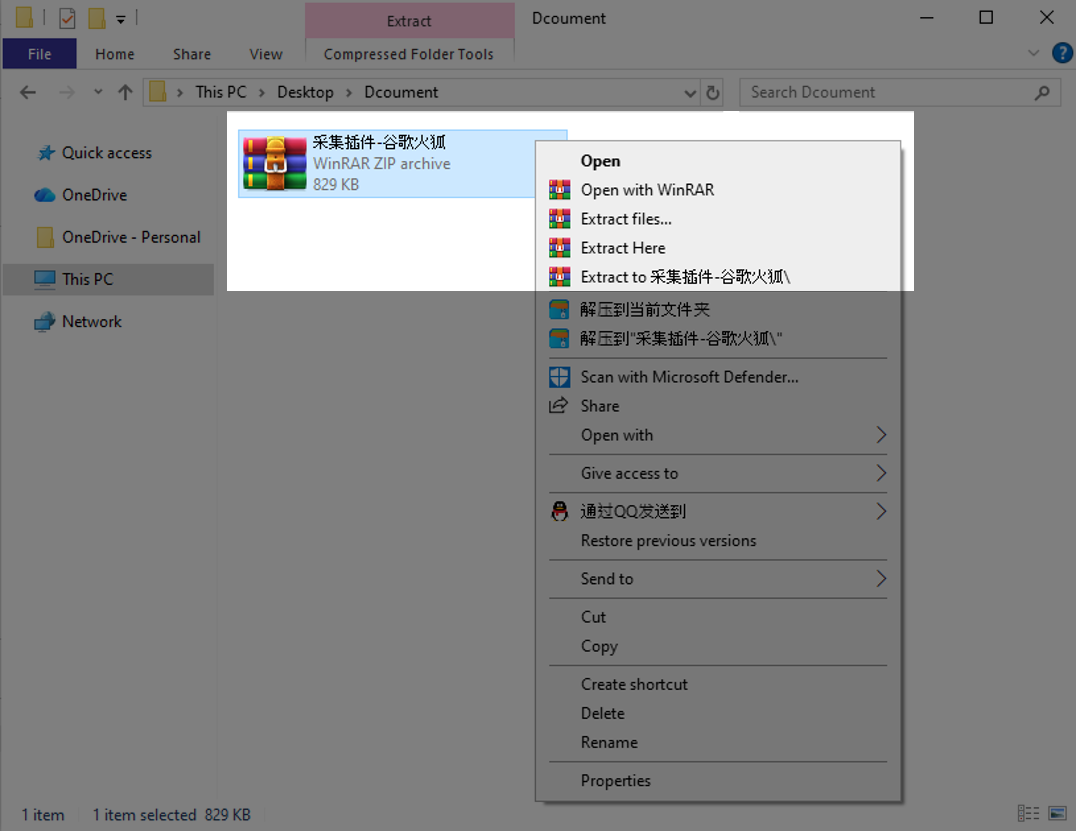
步骤一:
将下载好的压缩包解压,并记住解压后的文件位置。
Step 1:
Unzip the downloaded compressed file and make sure to note the location of the extracted folder.
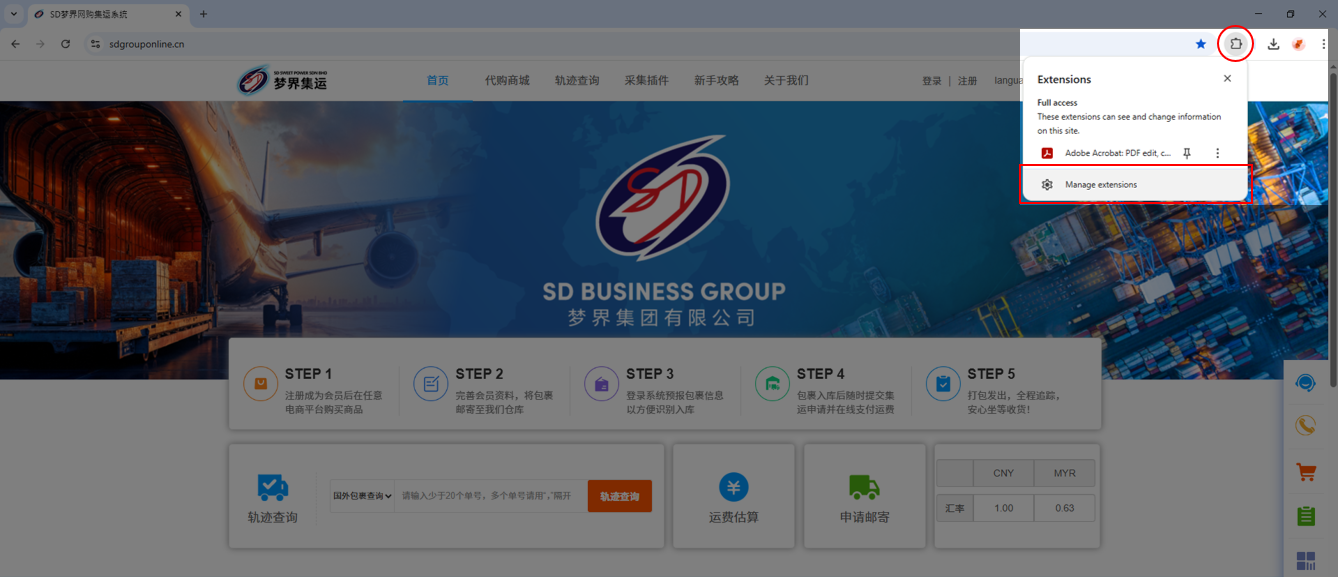
步骤二:
在谷歌浏览器界面右上角找到扩展程序入口。
Step 2:
Click on the extensions menu in the upper-right corner of the Google Chrome window.
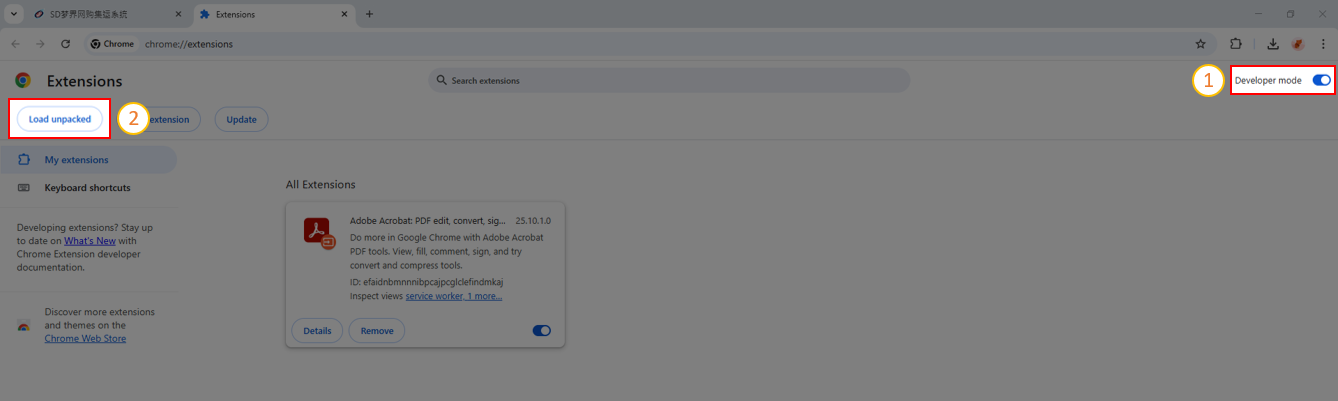
步骤三:
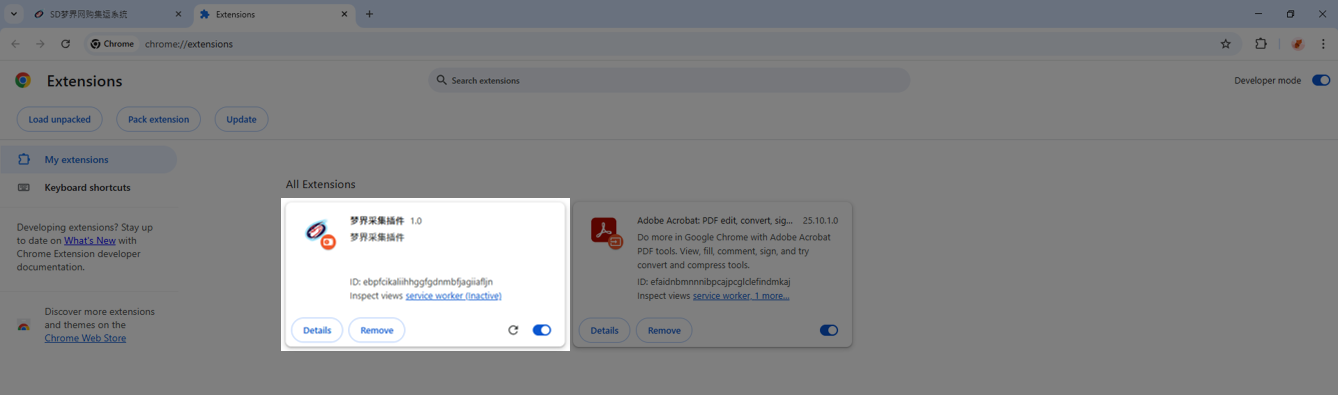
进入扩展程序界面后,点击右上角的【Developer mode】开启开发者模式。
然后点击左上角的【Load unpacked】,加载已解压的扩展程序。
Step 3:
In the extensions page, enable “Developer mode” by toggling the switch in the upper-right corner.
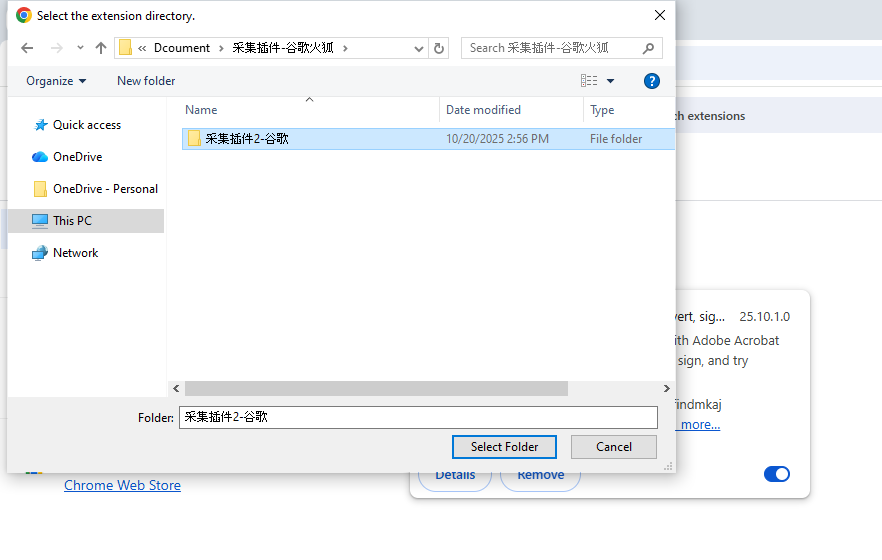
Then click “Load unpacked” in the upper-left corner and select the folder you extracted earlier to load the extension.
根据第一步中记录的文件位置找到插件文件夹。
插件安装完成后,会在浏览器中显示对应的扩展程序。
Once the installation is complete, the corresponding extension will appear in your browser.
步骤四:
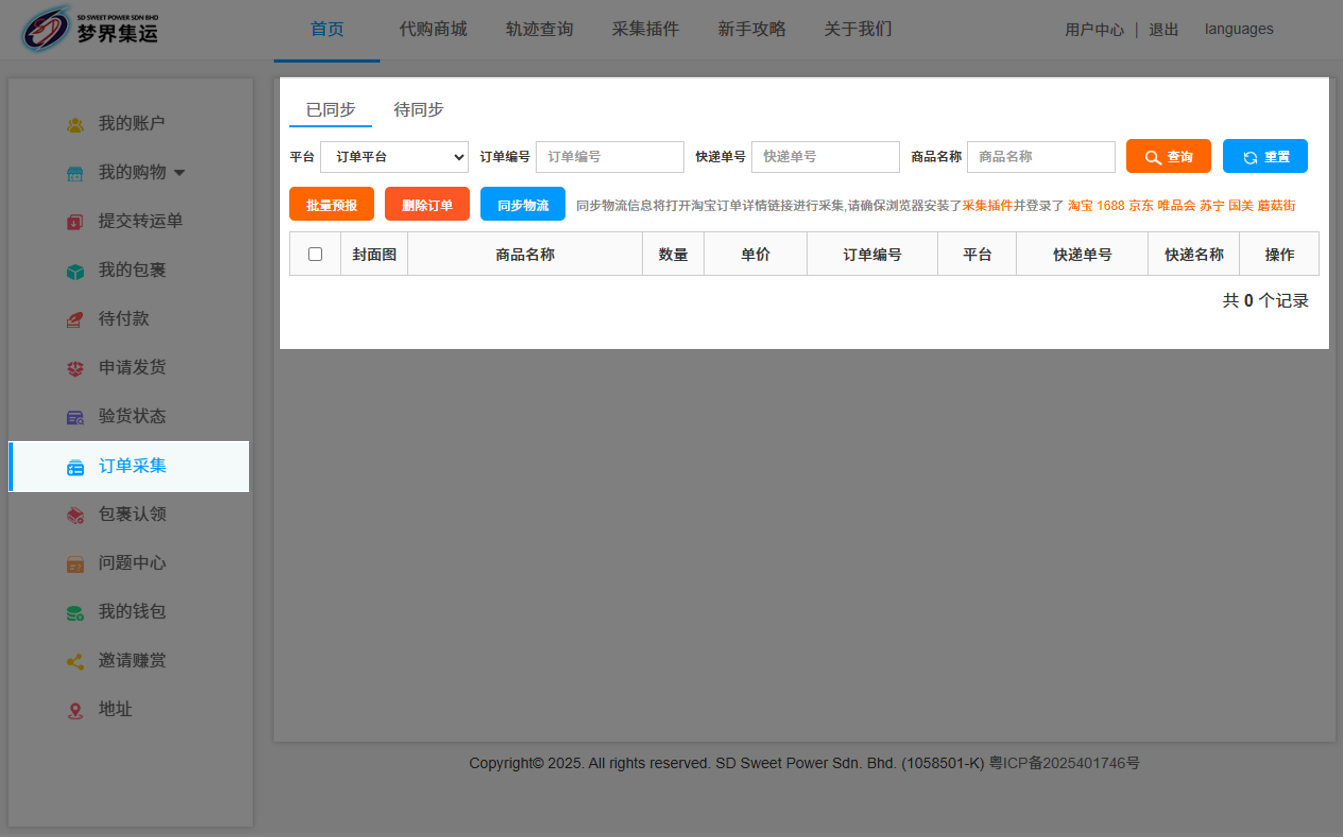
返回系统【会员中心】,在左侧菜单选择【订单采集】。
Step 4:
Return to the system’s “User Center” and select "Order Import" from the menu on the left.
以淘宝平台为例:
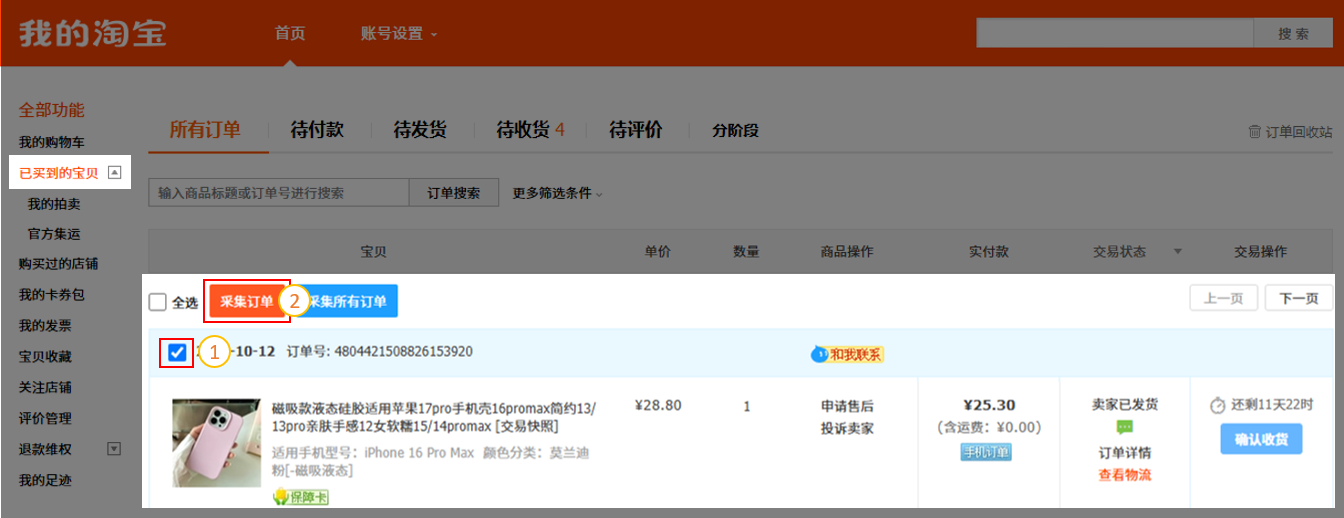
进入旧版界面后,可看到【采集】按钮。勾选订单后,点击采集即可获取订单信息。
Using Taobao as an example:
After entering the classic interface, you will see the “Collect” button. Select the orders you want, then click Collect to retrieve the order information.
插件会将快递信息同步到系统中。勾选需要预报的包裹再点击【批量采集】。
The extension will sync the shipping information to the system. Select the packages you need to pre-alert, then click “Batch Forecast” to proceed.
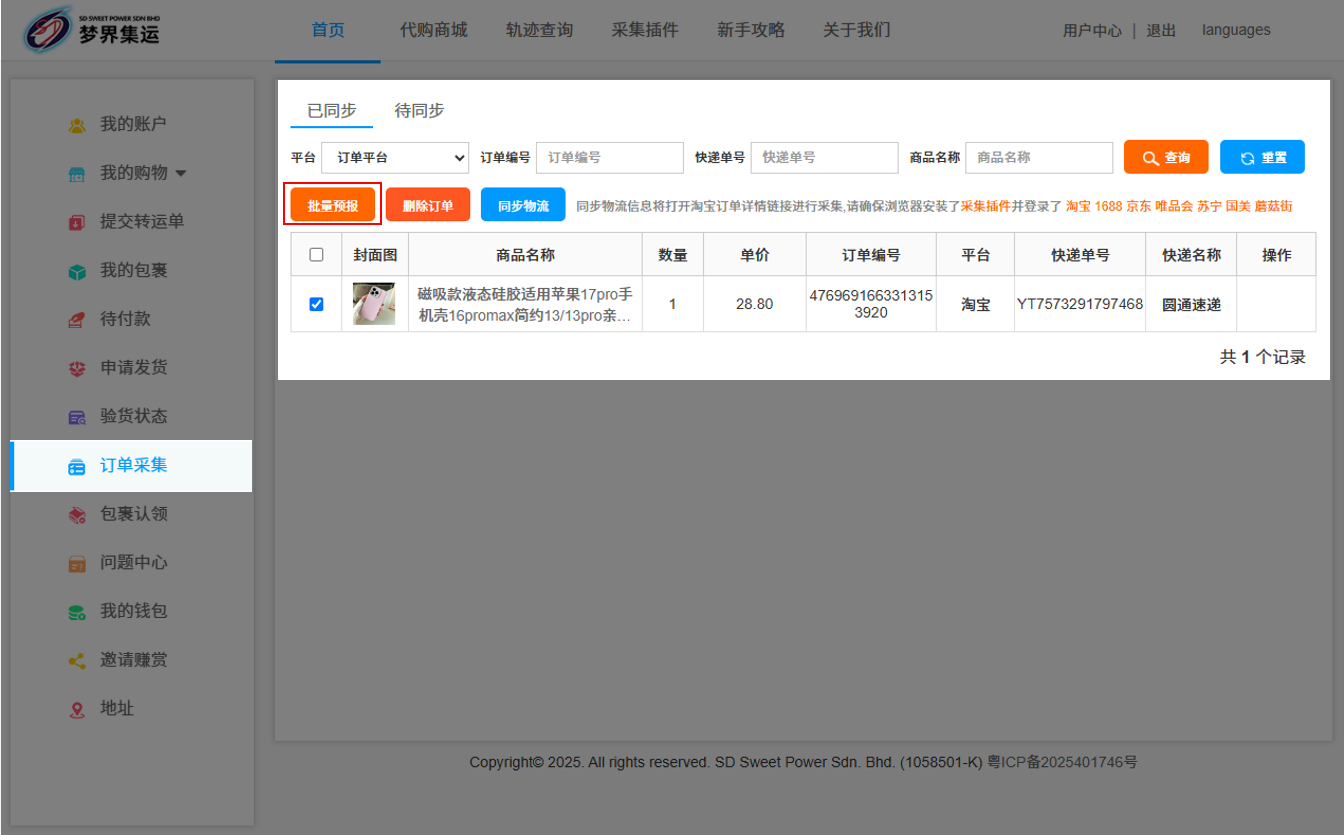
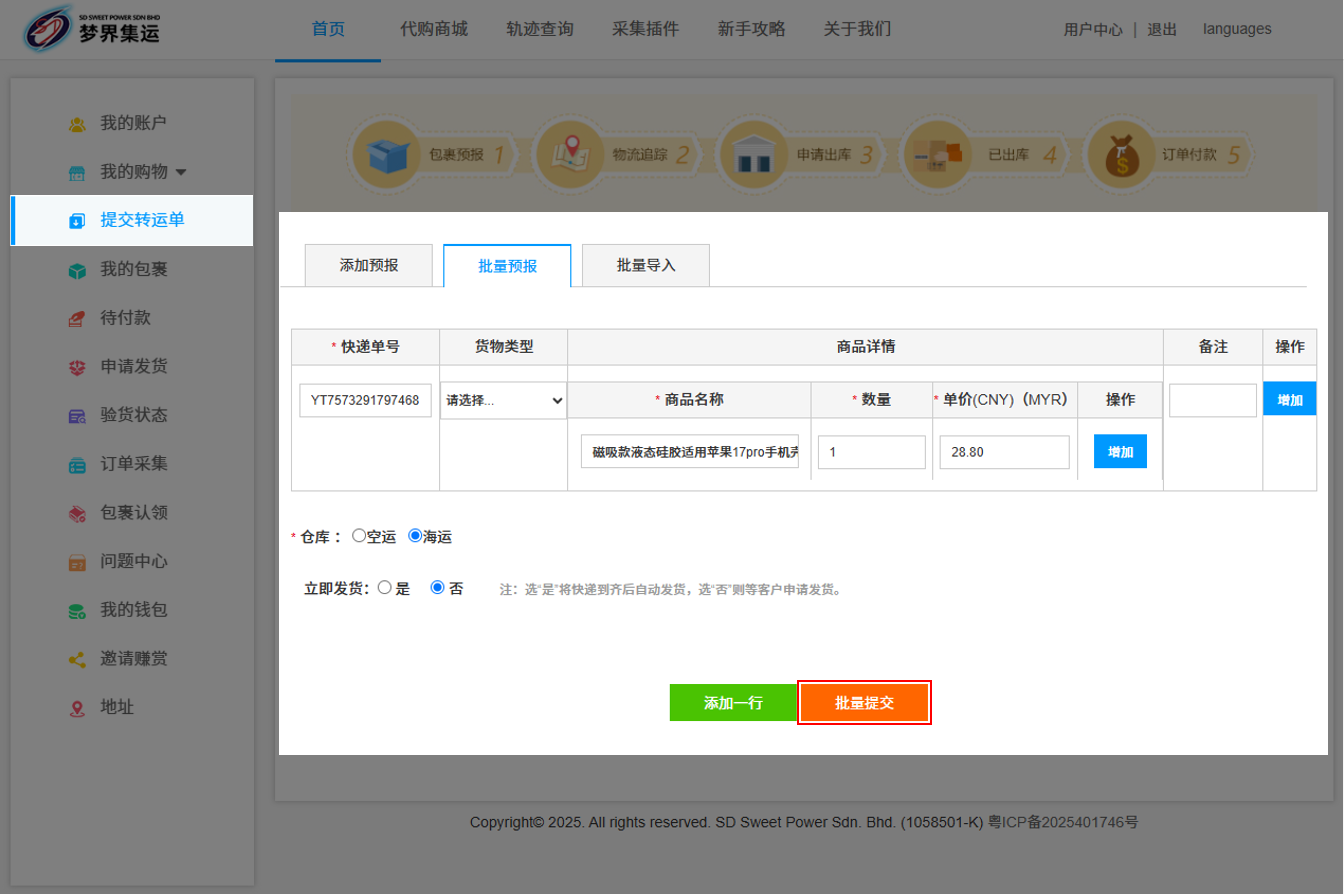
系统会自动同步到预报,核对资料正确后即可提交。
The system will automatically sync the data for pre-alert. Submit once you've verified that the information is accurate.
 03-8737 0258 / 012-891 1654
 Lot 977, Batu 12 1/2 Jalan Cheras Kg Bukit Dukung 43000 Kajang Selangor.



 在线客服
在线客服