Step 1: Online Shopping
Register as a member to obtain your exclusive member ID.
When placing orders on major e-commerce platforms, enter the delivery address as:
Warehouse address + Member ID
Go to “User Center” → “My Profile” to copy the warehouse address and paste it into the e-commerce platform.
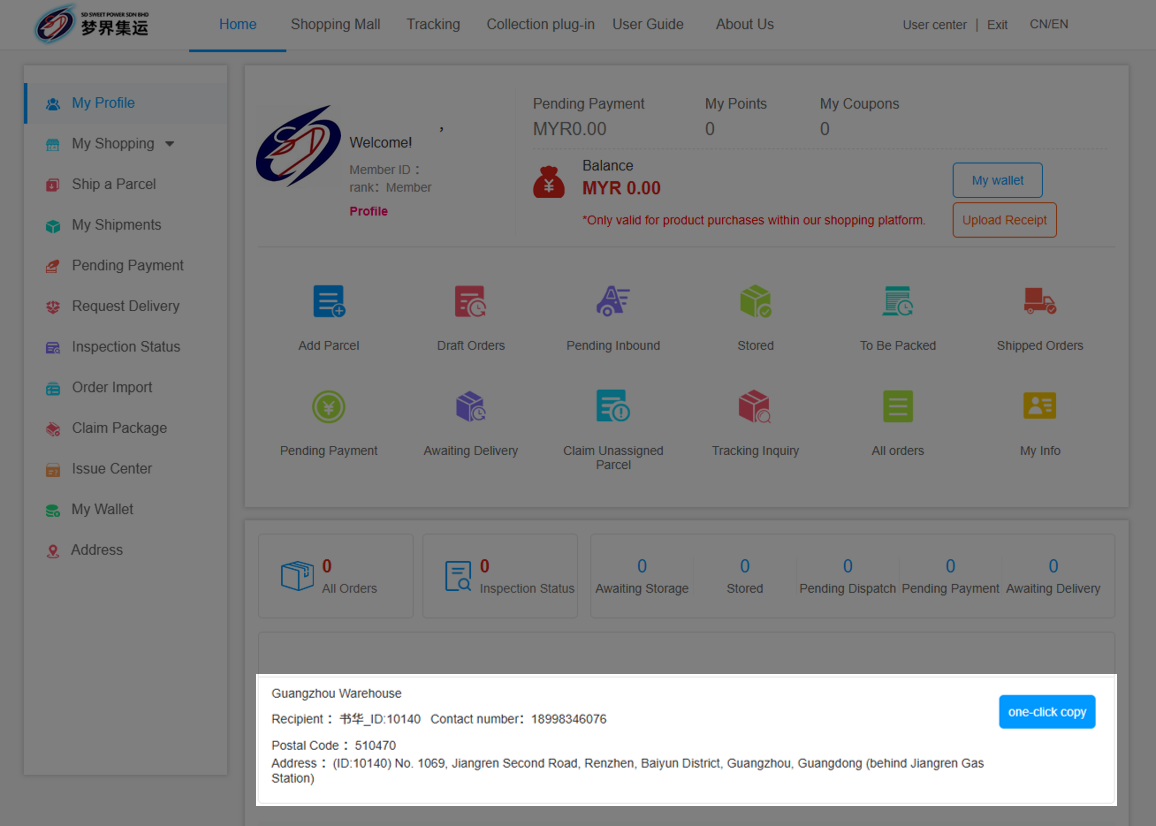
Step 2: Add Packages
Click “Ship a Parcel” and choose one of the following three forecast methods based on the number of packages.
Fill in the package details to complete the submission:
· Add Forecast
· Batch Forecast
· Batch Import
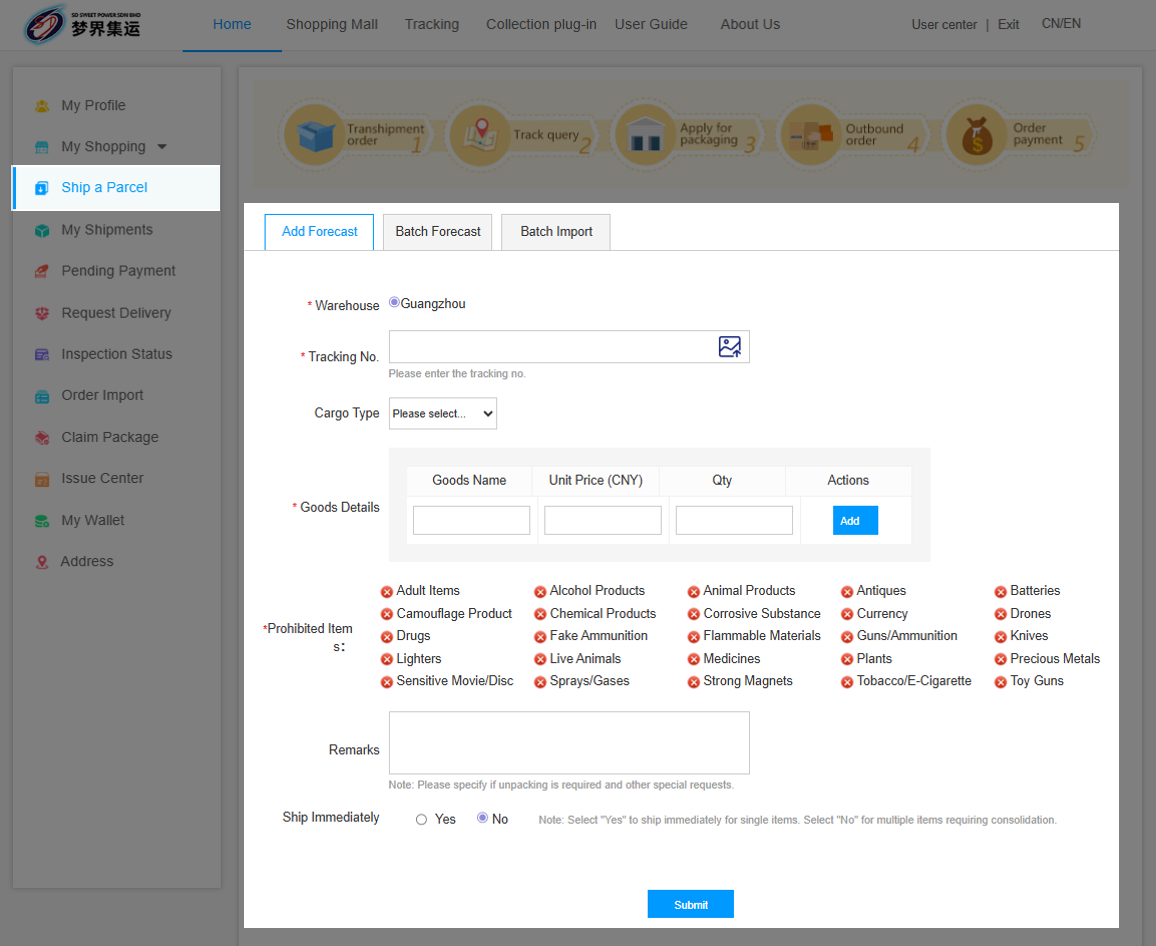
You may also use the
One-Click Collection Plug-in to quickly capture package information.
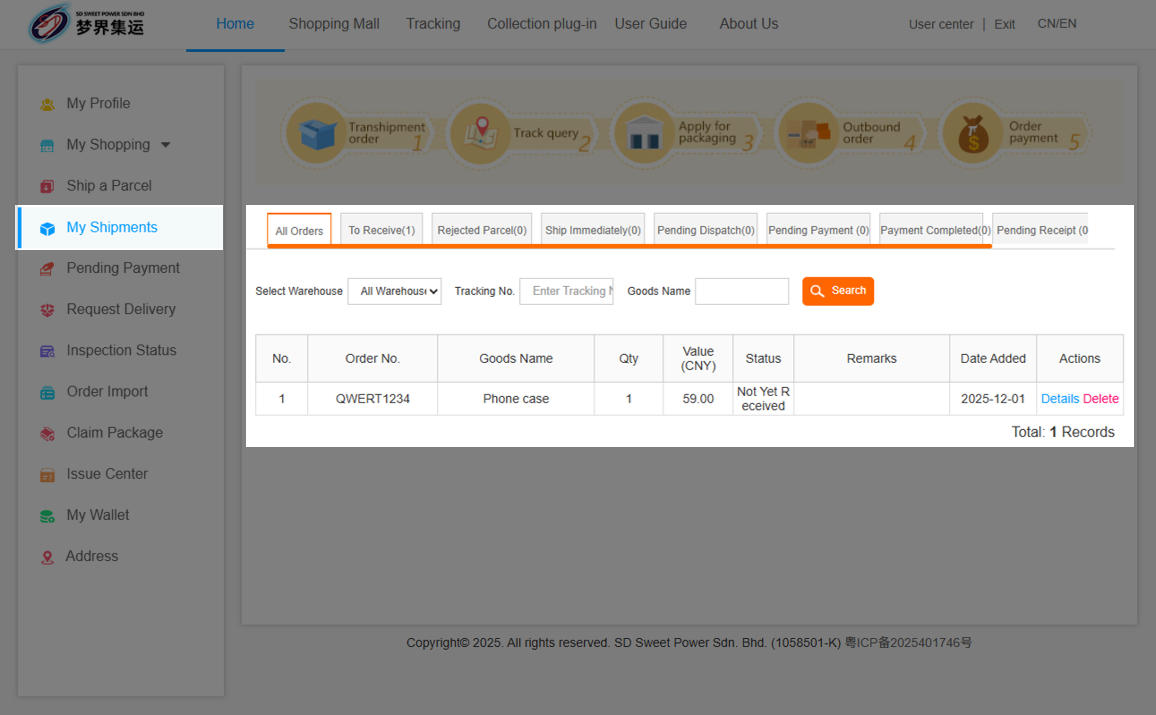
On the “My Shipments” page, you can view all package details.
You can click “Details” to modify the order information or delete the package before the package is checked into the warehouse.
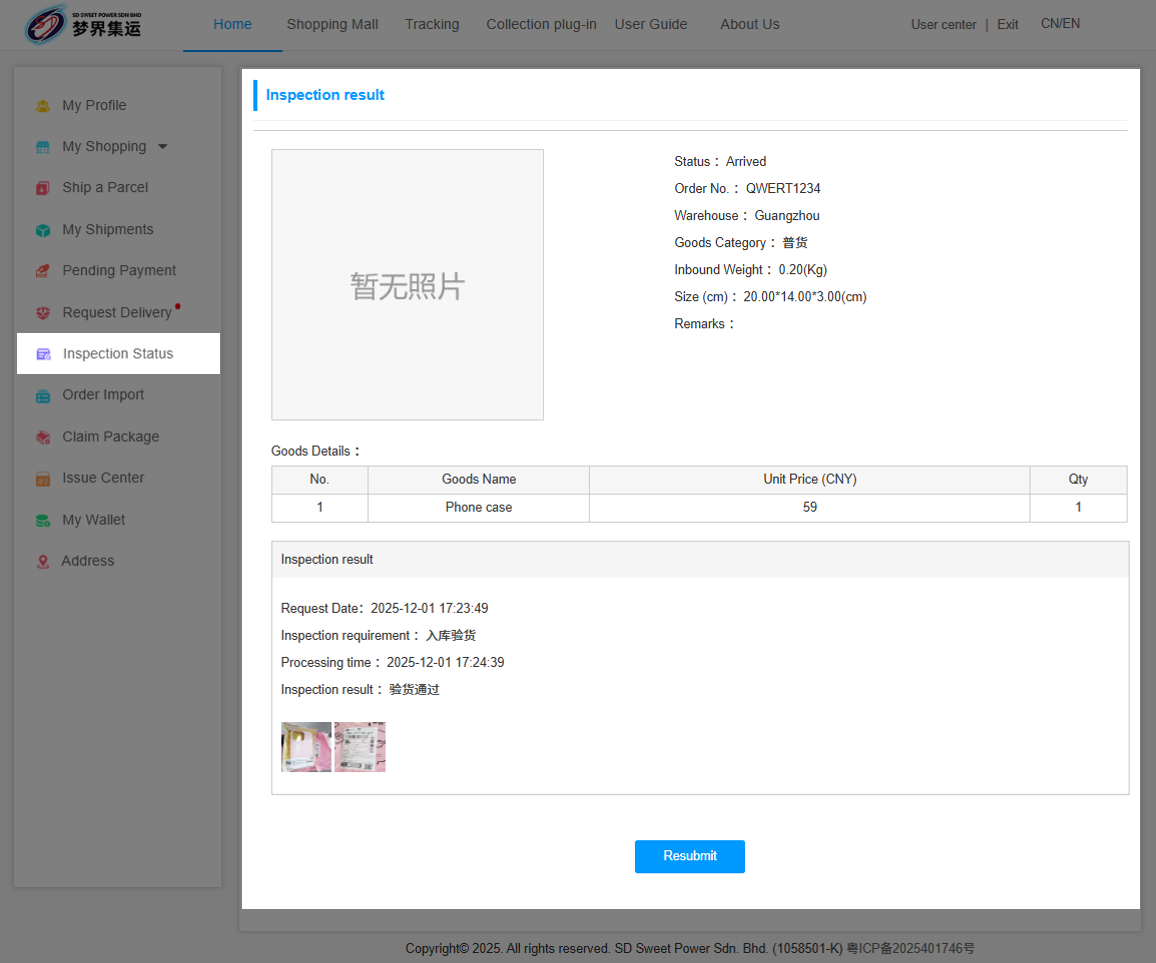
After the package is checked into the warehouse, click “Inspection Status” to view the package photos.
If you need further verification or a re-inspection, click “Resubmit” to apply (additional fee: MYR 5 per request).
Step 3: Request Delivery
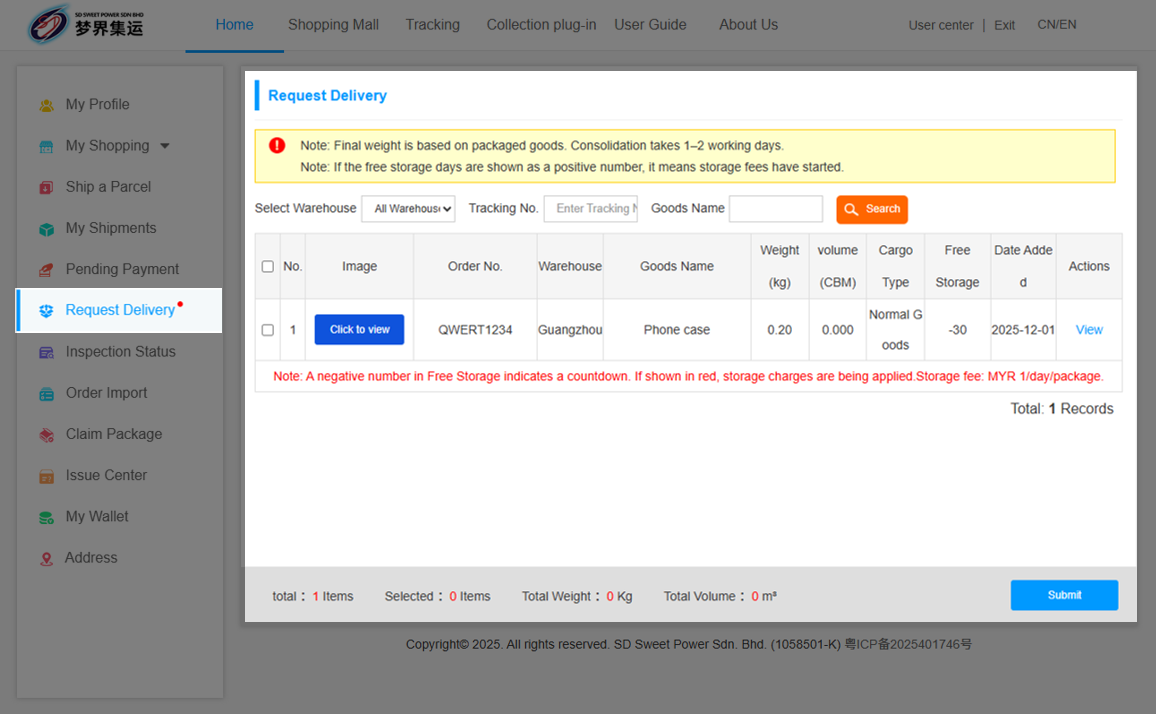
Click “Request Delivery”, select the orders you want to consolidate, and submit the outbound request.
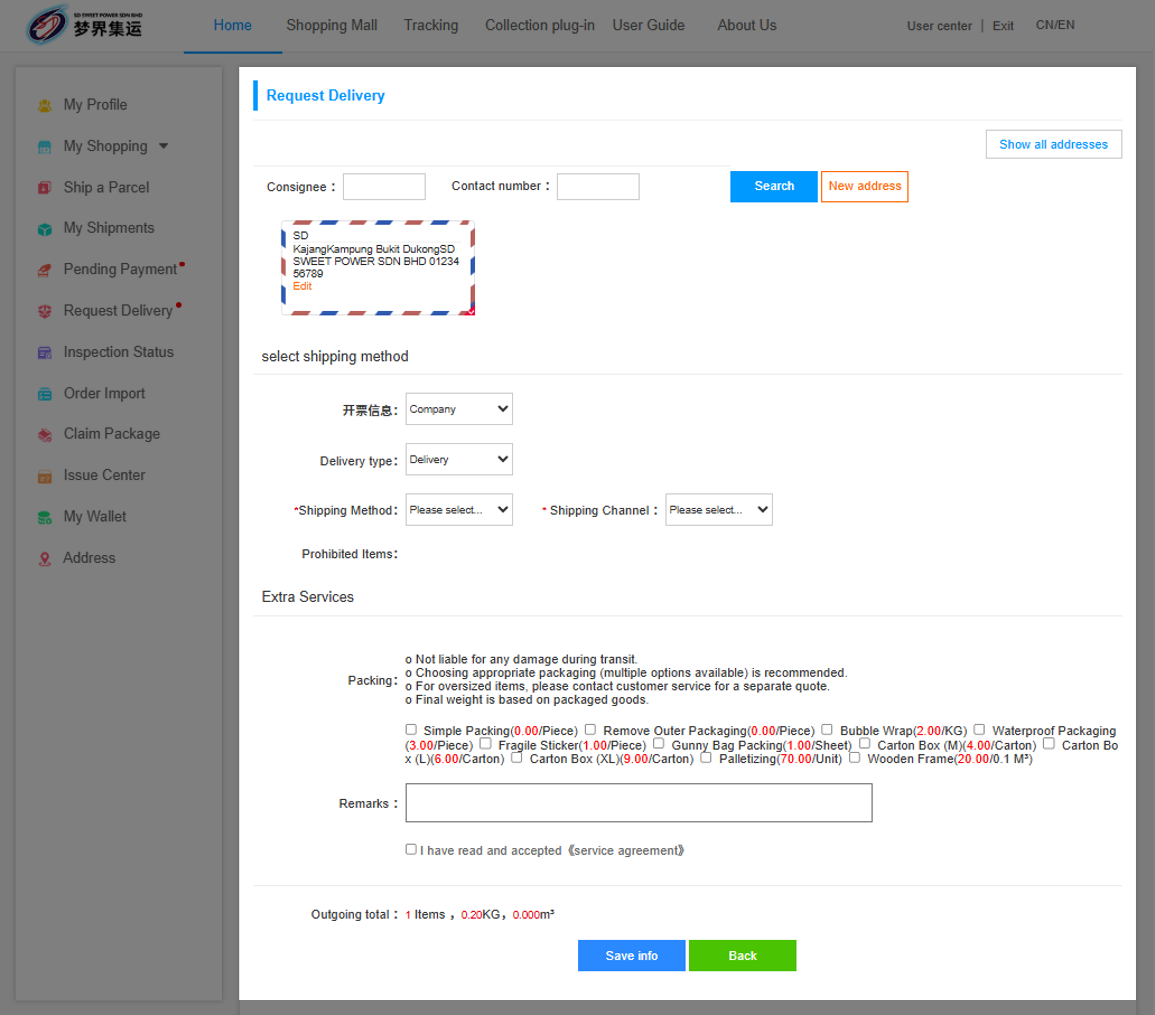
Enter the delivery address, select the appropriate shipping method and choose any required packaging services.
Make sure to check “I have read and accept the Service Agreement”. After confirming all information is correct, click “Save Info” to submit.
Step 4: Pay for Shipping
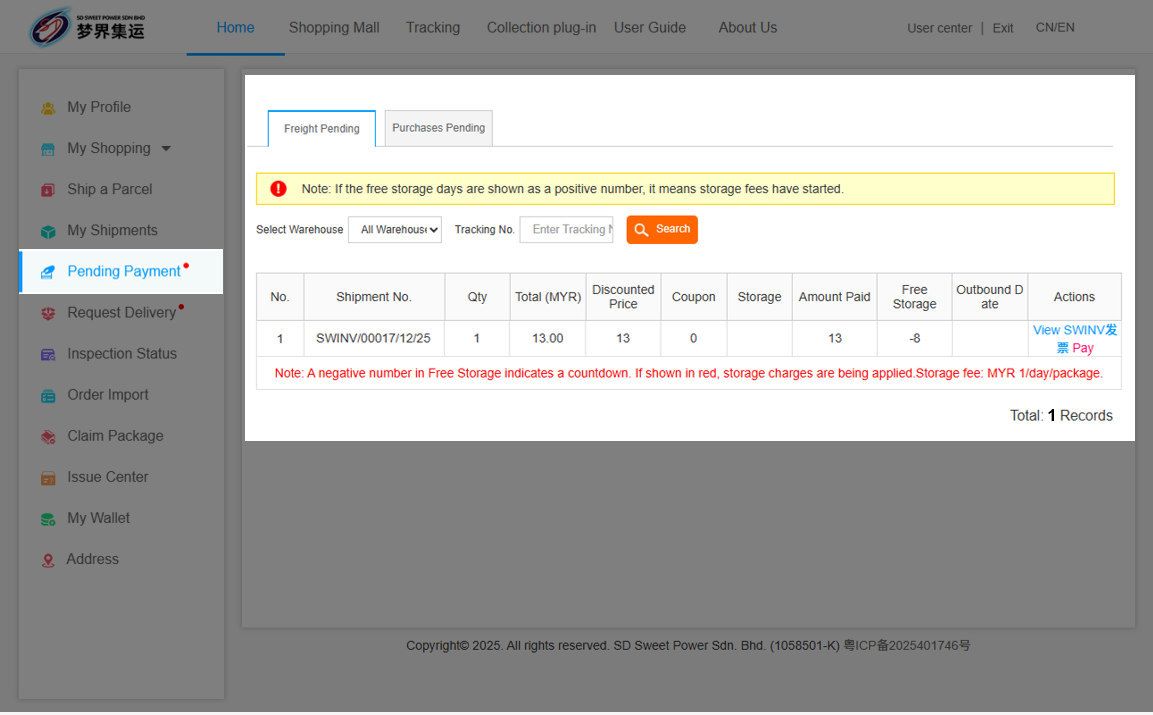
Once the warehouse has finished packing, you can view the package details on the “Pending Payment” page.
Click “Pay” to proceed with the payment for the order.
Step 5: Confirm Receipt
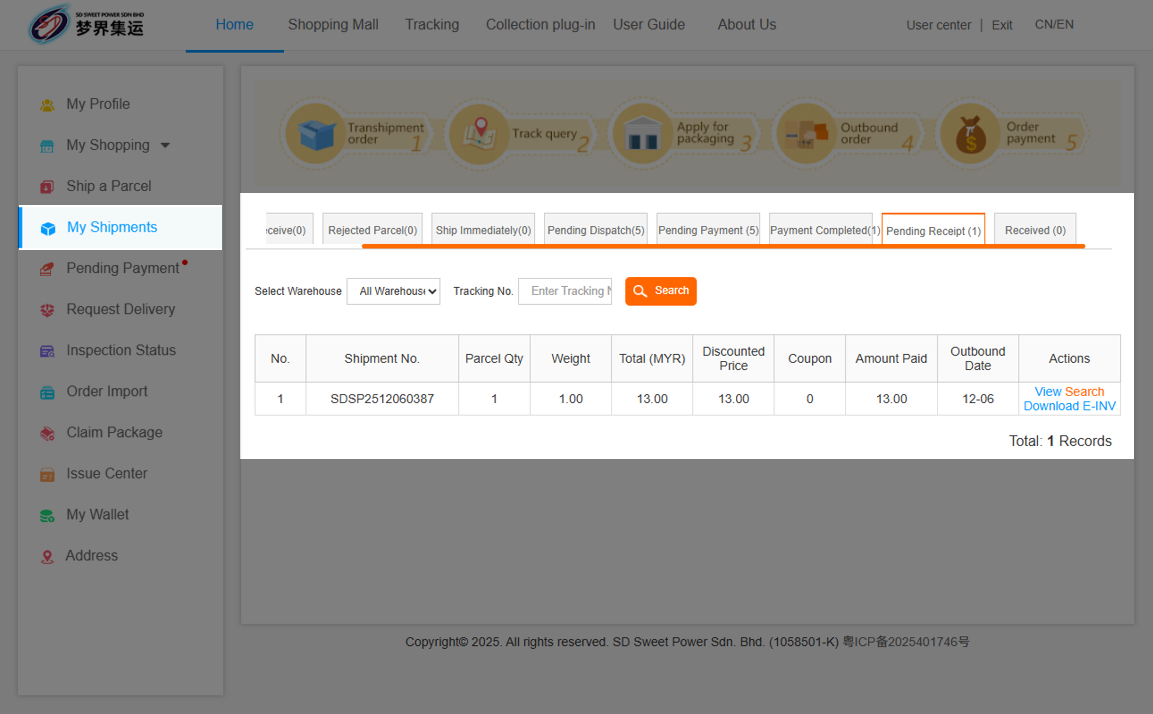
After your package ships, you can view pending delivery and track the status in “My Shipments”.


 03-8737 0258 / 012-891 1654
 Lot 977, Batu 12 1/2 Jalan Cheras Kg Bukit Dukung 43000 Kajang Selangor.



 在线客服
在线客服