Step 1: Top-Up Your Mall Wallet
After registering and logging in, go to “
User Center” → “My Profile” → “Upload Receipt”.
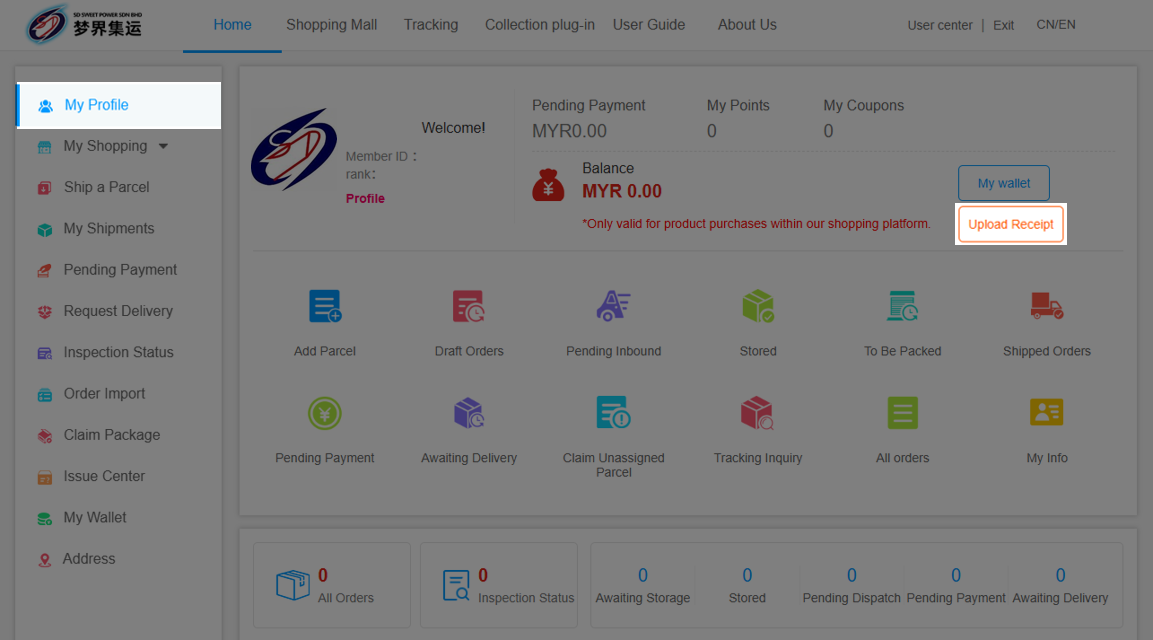
Step 2: Upload Bank-in Slip
Transfer funds to the provided account, fill in the details and upload the slip.
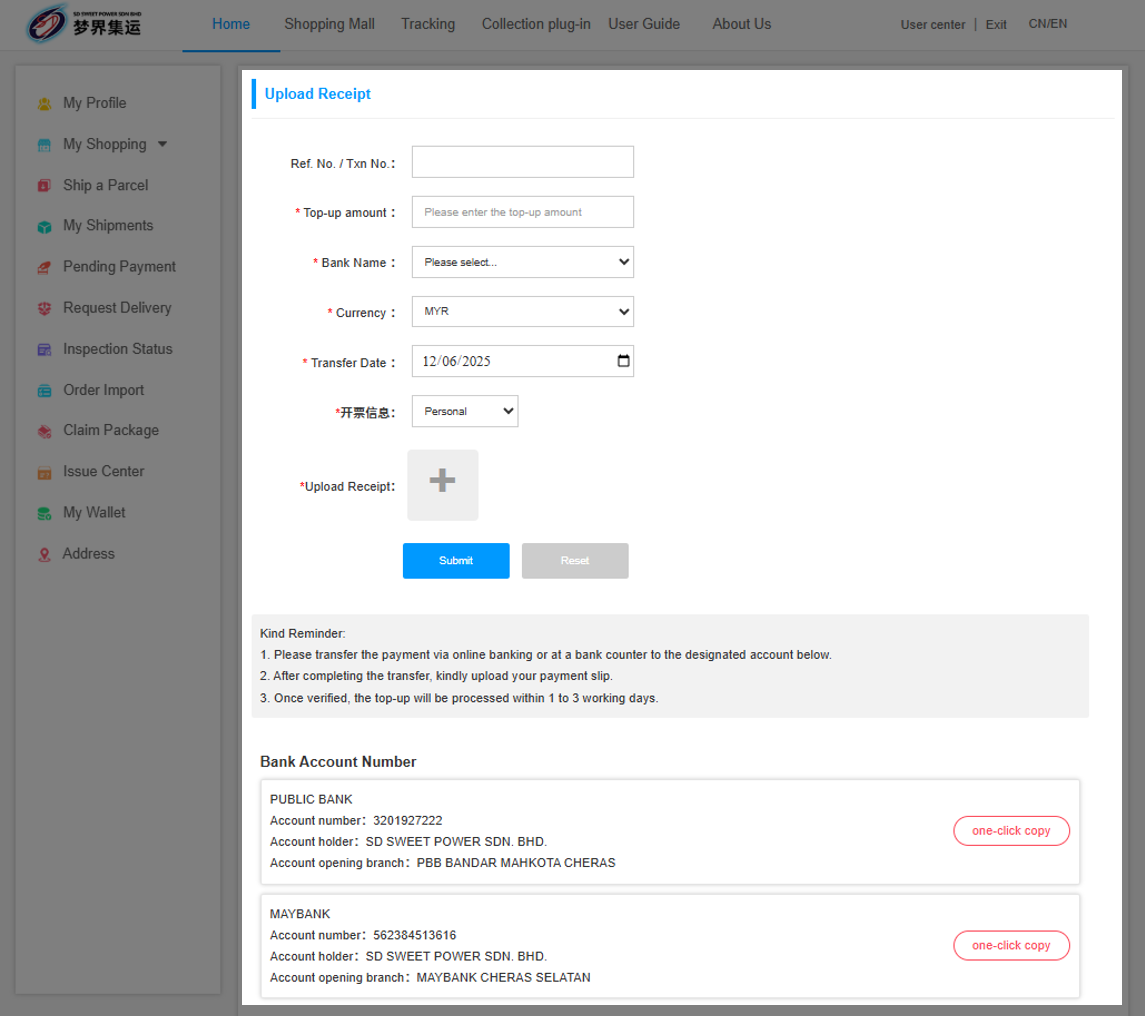
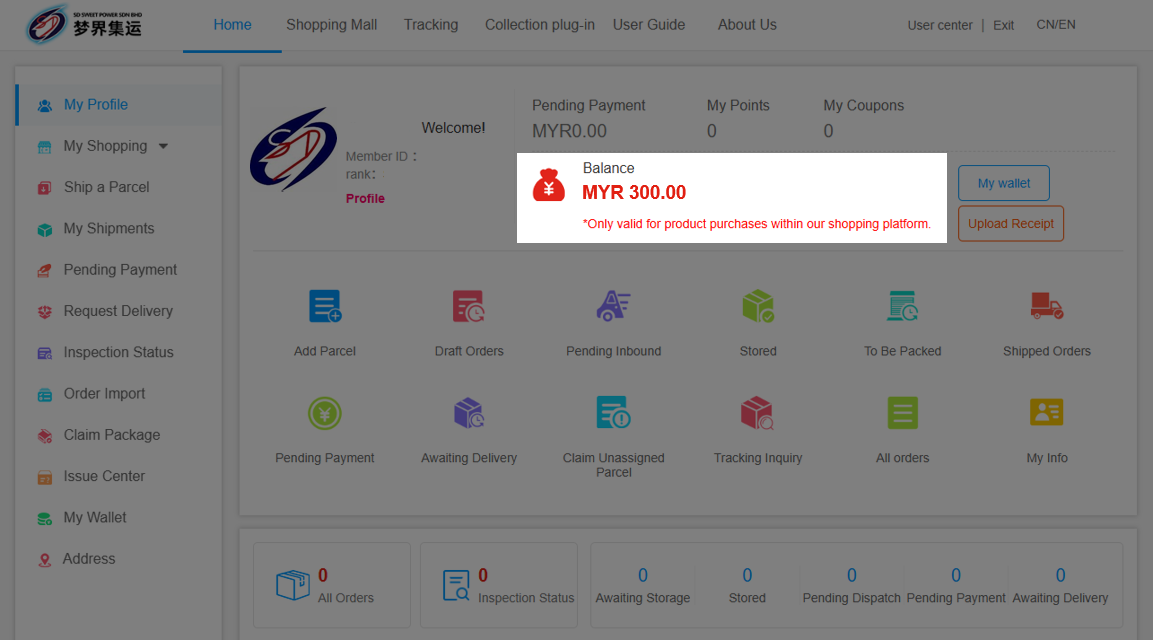
The amount will be added to your mall wallet within 1–3 working days.
Step 3: Paste the Product Link into in-Platform Shopping Mall
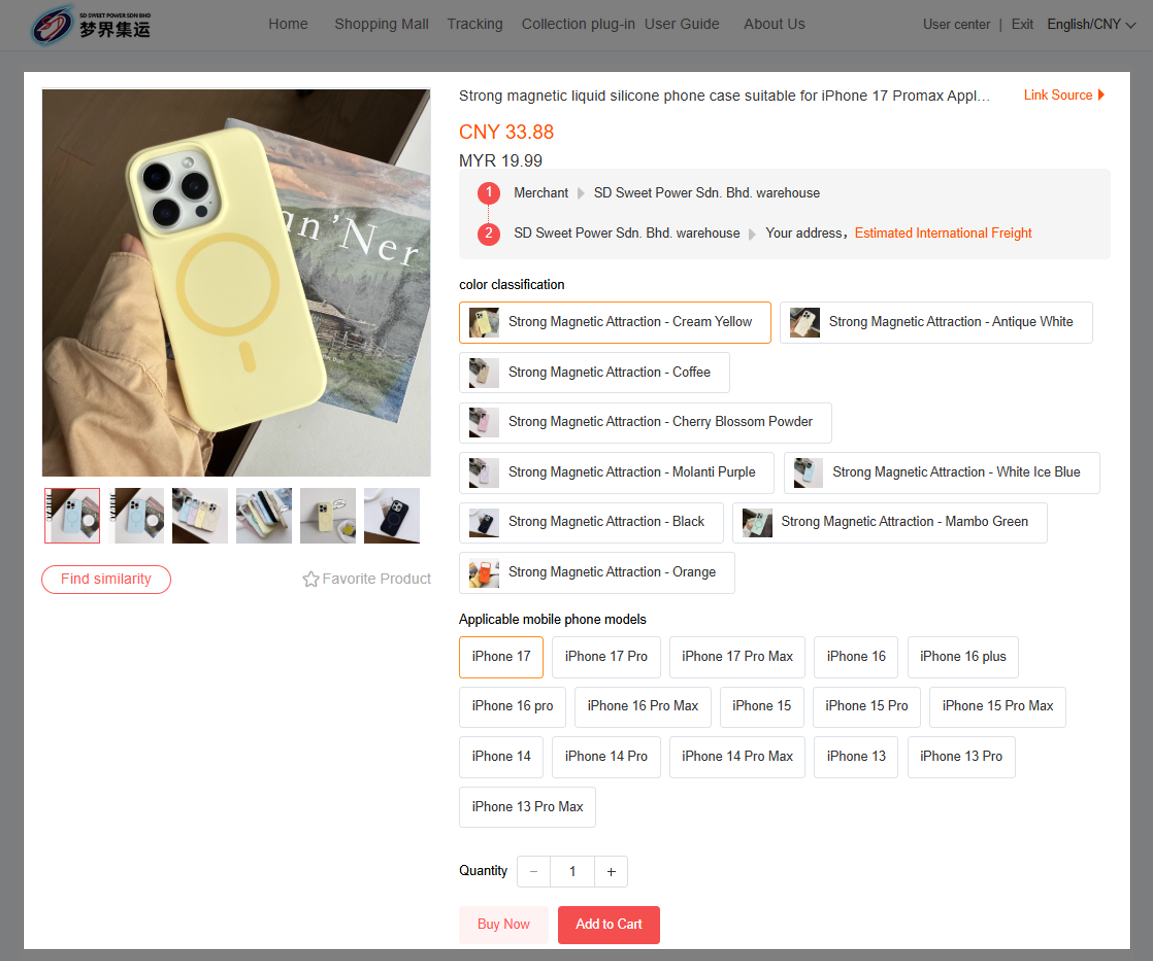
Copy the product link from Taobao, Tmall, 1688, or JD.com, and paste it into the in-platform Shopping Mall page.
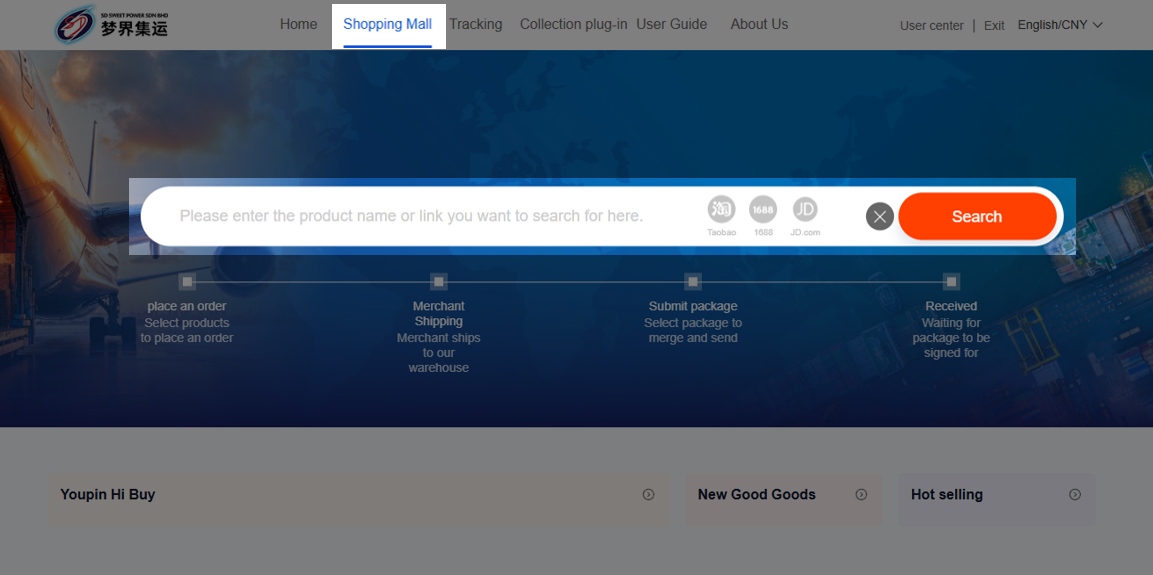
The system will display the product page. After selecting the specifications and quantity, you can click “Add to Cart.”
Step 4: Checkout and Payment
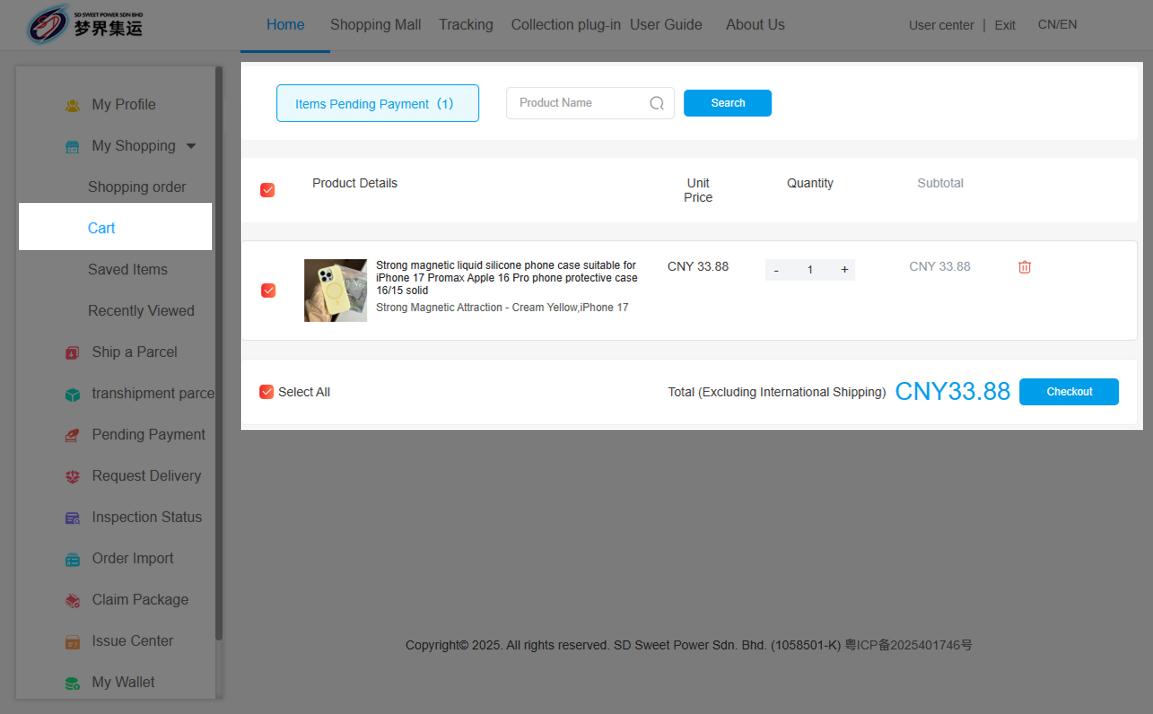
Go to “My Shopping” → “Cart.” Select the items you wish to purchase and click “Checkout.”
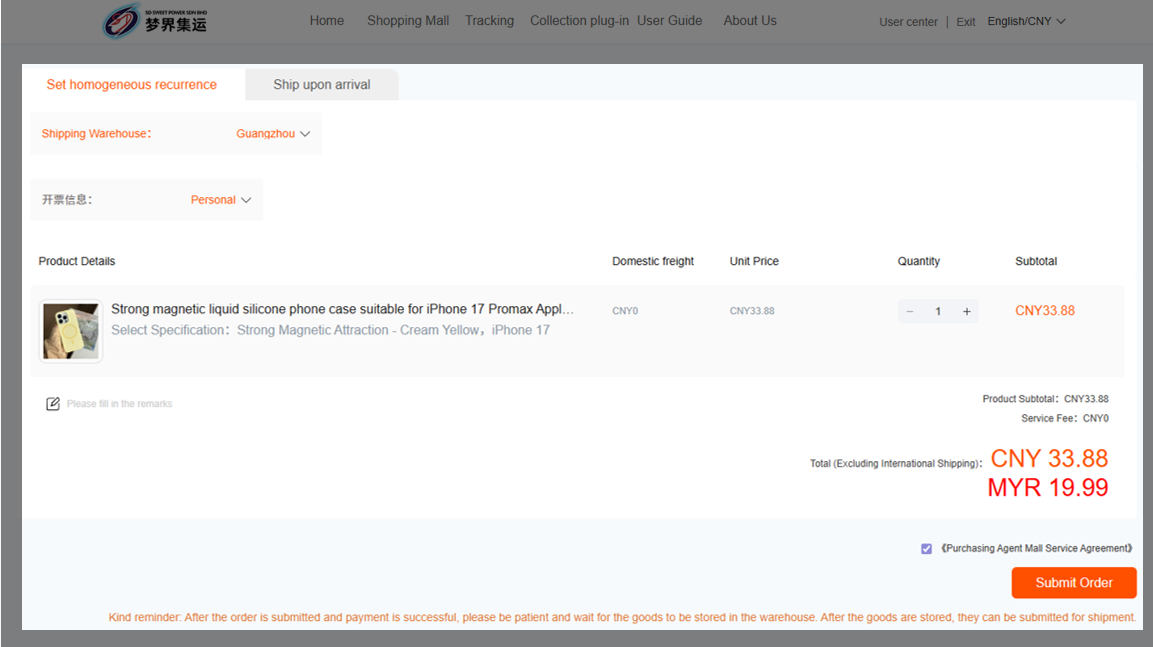
After selecting the delivery warehouse, make sure to check “Purchasing Agent Mall Service Agreement” then click “Submit Order.”
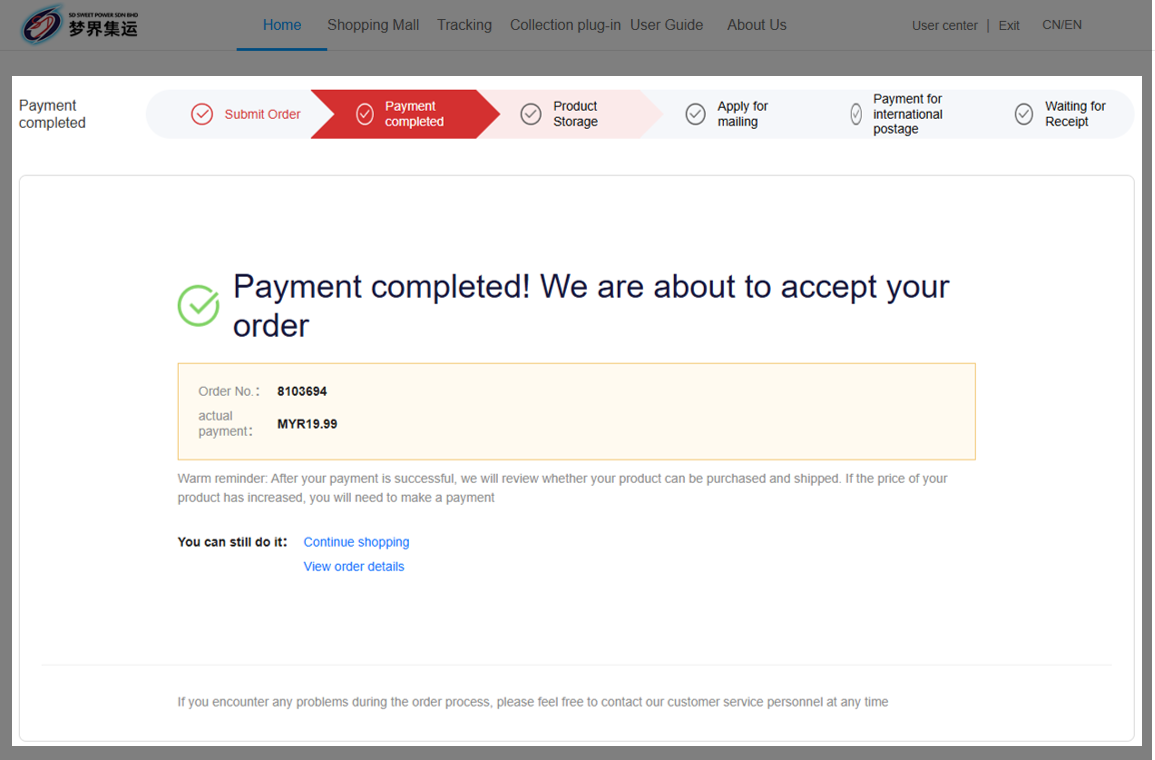
Once payment is confirmed, we will verify the item’s availability and shipping eligibility. If approved, it will be dispatched directly to the warehouse.


 03-8737 0258 / 012-891 1654
 Lot 977, Batu 12 1/2 Jalan Cheras Kg Bukit Dukung 43000 Kajang Selangor.



 在线客服
在线客服